Make and take WhatsApp calls on your phone system.
Two-way calling between WhatsApp and SIP. WhatsApp calls ring your PBX or a SIP softphone, and your extensions dial out to any WhatsApp number as your own number. It is not the Meta Business API: no business verification, no per-minute billing.
- Hosted line or your own PBX
- Two-way: incoming and outgoing calls
- Flat monthly price per number, no per-minute billing
Hear it first. Message our demo number and it calls you back on WhatsApp within seconds — a greeting, a beep, and your own voice played straight back.
Need a dedicated number or many lines? Talk to us.
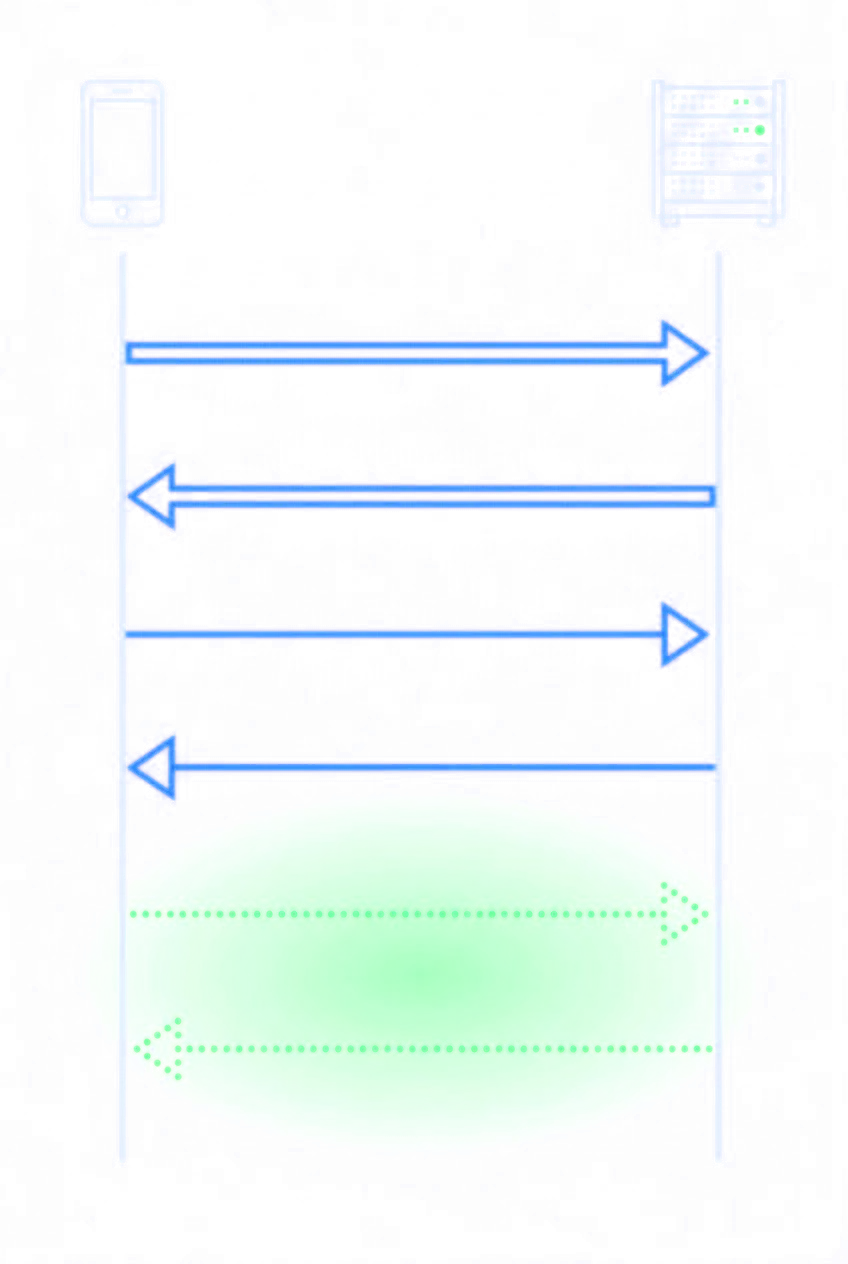
Thirty seconds, from your message to your own voice.
- A real WhatsApp call from an ordinary number, not the Business API
- Placed by software a few seconds after you ask
- Audio both ways: you hear your own voice back
- 0:00
You send CALL ME. A reply with a link comes straight back.
- 0:08
Your phone rings — a WhatsApp call, placed by software.
- 0:10
A greeting: where you are and what happens next.
- 0:23
A beep. Say something; five seconds are recorded.
- 0:28
You hear your own voice, back through the same call.
- 0:33
Goodbye, and the call ends.
The demo’s limits — each one enforced in code
- One call at a time. If someone is ahead of you, you are called as soon as their call ends.
- Forty-five seconds, then it hangs up on itself.
- Three answered calls per number per day, sixty across everyone.
- One call per number per ten minutes, however many times you write.
- We call only the number that messaged us. There is no field to type someone else’s.
- Only “CALL ME” starts a call. Anything else gets one reply telling you how.
- Your five seconds are deleted as soon as they have played back.
- No keypad menus yet.
From WhatsApp number to ringing phone in four steps.
Everything is self-serve in the console. No PBX module to install and nothing to run on your side.
- 01
Link your number
Create an account and scan a QR code with WhatsApp on your phone. The number joins as a linked device; your phone keeps working.
- 02
Pick a plan with calls
Incoming calls only, or incoming and outgoing. One flat monthly price per number, messaging included.
- 03
Connect a phone
Take a hosted SIP line and register any softphone to it, or give us your PBX registrar and an extension.
- 04
Take the call
WhatsApp calls to the number ring your phone. Dial an E.164 number from it and the call goes out on WhatsApp.
Calls are part of the plan. No per-minute billing.
Each WhatsApp number is on its own plan, at one flat monthly price. The plans below include calls, beside the number's messaging, and you can change a number's plan in the console any time.
Pro
Tier 2Multiple accounts, webhooks, longer history.
Messages 300 / day
- Messages / hour
- 100
- Messages / day
- 300
- Message history
- 30 days
- Webhooks
- Included
Attachments Included
- Attachments
- Included
- Attachments / day
- Unlimited
- Attachments / week
- Unlimited
- Attachments / month
- Unlimited
VPN Included
- SOCKS5 egress
- Included
- WireGuard egress
- Included
Voice Included
- Inbound calls
- Included
- Outbound calls
- Included
- AI agent
- Included
- SIP
- Included
- WebRTC
- Included
Devices 1 of 2
- Primary device
- Not included
- Secondary device
- Included
API Unlimited
- REST API
- Included
- MCP calls / day
- Unlimited
- MCP calls / week
- Unlimited
- MCP calls / month
- Unlimited
- REST calls / day
- Unlimited
- REST calls / week
- Unlimited
- REST calls / month
- Unlimited
MCP tools Included
- Accounts & pairing
- Included
- Messaging
- Included
- Contacts
- Included
- Groups & channels
- Included
- Calls
- Included
- AI voice agents
- Included
- Webhooks
- Included
Yearly billing and every plan are on the plans page.
A hosted line, or your own PBX / CRM.
Pick per number. Both sit behind the same bridge, speak the same codecs and follow the number's plan.
Hosted SIP line
We run the phone system. You get a SIP account on our server and register any SIP phone or softphone with it.
- Signalling over TLS (port 5061), media encrypted with SRTP
- Plain UDP as a fallback for phones that cannot do TLS
- Show or rotate the line password from the console
- Calls you dial go out as your WhatsApp number
WhatsApp SIP trunk for your PBX / CRM
The bridge registers to your PBX — or the phone system in your CRM — as an ordinary SIP extension, and routes to it like any other endpoint.
- Registers outbound to your registrar — no inbound firewall rule for signalling
- Credentials are checked against your registrar before they are saved
- Ring one extension, or pass the caller’s number to your dialplan
- Extensions dial WhatsApp numbers in E.164, no leading +
One trunk, calls in both directions.
The bridge answers on each side and translates between them, so a call can start on WhatsApp or on your phone system.
transcode E.164 Both directions, one trunk. A WhatsApp call rings your dialplan as an ordinary SIP INVITE; an extension dialling an E.164 number reaches that person on WhatsApp. It is not a gateway that only works one way.
Opus and MLow in, G.722 or G.711 out.
WhatsApp picks its own codec per call and can change it mid-call as the network moves. Your dialplan never sees that: the bridge answers the WhatsApp side, decodes it, and re-encodes into G.722 wideband when your side allows it, or G.711, the one codec every phone system speaks.
WhatsApp side
- Opus
wideband · 16 kHzWhatsApp’s normal wideband codec, and what a healthy call negotiates.
- MLow
Meta’s low-bitrate codecWhat WhatsApp falls back to when the far end is on a constrained network. Proprietary — there is no PBX on the market that decodes it.
Trunk side
- G.722
wideband · 16 kHzOffered first. The call stays wideband all the way to your phone — no resampling down to landline quality.
- G.711 µ-law
PCMU · 8 kHzThe fallback when your side does not allow G.722. Every SIP phone, softphone and PBX speaks it.
- G.711 A-law
PCMA · 8 kHzAccepted when your side prefers it — the usual choice outside North America.
Why G.722 first. WhatsApp audio is wideband (16 kHz), and G.722 carries it to your phone at the same bandwidth, so voices keep their clarity. Allow g722 on your trunk and the call negotiates it; a phone that only speaks G.711 still works, at narrowband (8 kHz) — a good landline call.
What you get on the wire.
Transcoded for you
Opus and MLow are decoded and re-encoded into G.722 wideband, or G.711. Your PBX never learns that MLow exists.
TLS and SRTP
Hosted lines register over TLS on port 5061 with SRTP media. The WhatsApp side of every call is always encrypted.
Bring your own egress
Pin an account’s WhatsApp traffic to a WireGuard peer or a SOCKS5 proxy you control, per number.
Keep your phone
Link a number that is already on somebody’s handset. The phone stays the primary device and keeps its chats.
Readable call records
Direction, peer, duration, result and codec for every call — in the console, as CSV, or through the API.
Primary or secondary — the trunk is identical.
Every WhatsApp number on the bridge is attached in one of two roles. The choice changes how the account is registered and who else holds the number; it does not change your dialplan, your codecs, or the SIP URI you route to.
- Registration
- SMS or voice code, standalone
- Handset required
- No — the number lives on the trunk
- Transport to WhatsApp
- Direct TCP (443 / 5222)
- Number is shared with
- Nothing else
- Best for
- A dedicated trunk number
- What the trunk sees
- One E.164 number
- Registration
- QR scan from an existing handset
- Handset required
- Yes — it stays the primary device
- Transport to WhatsApp
- WebSocket, like WhatsApp Web
- Number is shared with
- The phone, and its other linked devices
- Best for
- Putting a number people already use on the trunk
- What the trunk sees
- The same one E.164 number
| Property | Primary device On request | Secondary (companion) Self-serve |
|---|---|---|
| Registration | SMS or voice code, standalone | QR scan from an existing handset |
| Handset required | No — the number lives on the trunk | Yes — it stays the primary device |
| Transport to WhatsApp | Direct TCP (443 / 5222) | WebSocket, like WhatsApp Web |
| Number is shared with | Nothing else | The phone, and its other linked devices |
| Best for | A dedicated trunk number | Putting a number people already use on the trunk |
| What the trunk sees | One E.164 number | The same one E.164 number |
Secondary is what the console sets up for you today: scan a QR code and the handset stays primary. For a dedicated number that lives only on the trunk, talk to us.
Choose where your WhatsApp traffic exits.
Your SIP traffic stays on your trunk, at an address you already control. WhatsApp traffic exits through our network by default — point a number at your own tunnel or proxy instead and it exits where you say it does.
peer config
Hand us a peer and the account’s WhatsApp traffic rides your tunnel. The exit is an address you own and can attest to.
user + password
A plain authenticated proxy where a tunnel is more than you want to run. Same effect on the exit IP, less to operate.
- Set per account — one number can use your egress while another leaves through ours.
- Your network policy and your data-residency rules applied to the session itself.
- A stable exit address: it does not rotate when ours does.
What it isn’t: a way to avoid being blocked. Egress control decides where your traffic goes. It does not change what WhatsApp does with the account, and the terms below still apply.
# SOCKS5
socks5://user:••••••@203.0.113.10:1080

# …or a WireGuard peer
[Peer]
PublicKey  = 8Nd…=
Endpoint   = 203.0.113.10:51820
AllowedIPs = 0.0.0.0/0
Dial plain E.164. Route on the caller’s number.
A WhatsApp number is just its E.164 digits. Dial them from an extension to place a WhatsApp call. Inbound, ring a fixed extension, or have the caller’s number sent to your dialplan — with a prefix if you want one — so existing routing rules can match on it.
Outbound — extension dials:
447700900000
→ WhatsApp call to +44 7700 900000

Inbound — ring target "9:caller":
INVITE sip:9447700900000@your-pbx
# or ring one extension, e.g. 101
Works with
Asterisk (tested) FreePBX Any registrar-based PBX SIP softphones The bridge registers like any SIP extension: no module, agent or fork of your PBX.
What the beta does not do yet.
Read this before you plan a deployment around it.
- One call at a time per number
- A second call while one is up is refused as busy, from either side. Add numbers for parallel calls.
- No Opus on the SIP side
- Your PBX gets G.722 or G.711 (µ-law, A-law). Opus towards the PBX is not offered yet.
- No DTMF passthrough
- Key presses are not carried between WhatsApp and SIP, so IVR menus on either side will not work.
- No hold or transfer
- Re-INVITE and REFER are not supported. Transfer inside your PBX before the call reaches the bridge.
- Audio only
- WhatsApp video calls are not bridged.
- Business numbers: hosted line only
- Your own PBX works through the bridge, which only numbers linked as a device have. A Business (official) number on Meta’s Cloud API takes its WhatsApp calls on a hosted line of its own instead, and calls a customer only after they allow it.
Common questions.
How do I connect WhatsApp calls to Asterisk, another PBX or my CRM?
Link your WhatsApp number to WhatsMCP with a QR scan, put that number on a plan with calls, and enter your PBX registrar and an extension in the console — or those of the SIP phone system in your CRM. The bridge registers like any SIP extension: WhatsApp calls ring the extension you choose, and your extensions dial WhatsApp numbers as E.164 digits.
Do I need my own PBX?
No. Take a hosted SIP line instead: we run the phone system, and you register any SIP phone or softphone to it over TLS with SRTP media. WhatsApp calls to your number ring that phone, and calls you dial from it go out as your WhatsApp number.
How much does the WhatsApp SIP trunk cost?
Calls are part of a number’s plan: one flat monthly price per number, covering its messaging and its calls — incoming only, or incoming and outgoing — with no per-minute billing. Current prices are in the plans section of this page and on the plans page.
Can I make outbound WhatsApp calls from my phone system?
Yes, on a plan with outgoing calls. Dial the WhatsApp number as E.164 digits with no leading + (447700900000 reaches +44 7700 900000). The call goes out as your linked WhatsApp number.
Does WhatsApp's MLow codec work with a standard PBX?
No PBX decodes MLow, the proprietary codec WhatsApp falls back to on constrained networks. The bridge decodes it — and Opus — and hands your PBX G.722 wideband when it allows it, or plain G.711 (µ-law or A-law), which every SIP endpoint speaks.
Is this the WhatsApp Business Calling API?
No. WhatsMCP links a regular WhatsApp number as a device and speaks the WhatsApp protocol directly, so there is no Meta business verification. It is unofficial, not affiliated with Meta, and outside WhatsApp’s terms of service — numbers can be blocked.
Can I keep using WhatsApp on my phone?
Yes. The console links your number as a secondary device over a QR scan, and the phone stays the primary device. A dedicated number that lives only on the trunk is available on request.
How many calls can run at once?
One call at a time per WhatsApp number. A second call while one is up is refused as busy; add numbers for parallel calls.
Can I control where WhatsApp-side traffic exits to the internet?
Yes, per account. Nominate a WireGuard peer or a SOCKS5 proxy and that number's WhatsApp traffic exits through your node instead of the default egress. It changes where the traffic goes, not what WhatsApp does with the account — WhatsApp's terms still apply.
Does the SIP trunk work with a WhatsApp Business API number?
Yes, on a hosted line. A Business (official) number on Meta’s WhatsApp Cloud API has no bridge, so it cannot use your own PBX; its WhatsApp calls ring a hosted line of its own instead, and it calls a customer only after they allow your calls. The setup is in our guide to calling customers from a Business number.
From the engineering blog.
Bridging WhatsApp and a PBX: SIP trunking internals
How a WhatsApp call becomes a SIP INVITE, and back.
Rebuilding MLow, WhatsApp’s voice codec, in pure Go
The codec no PBX decodes, and how the bridge handles it.
Per-account egress: SOCKS5 and WireGuard
Choosing where a number’s WhatsApp traffic leaves.
An independent service
WhatsMCP is not affiliated with or endorsed by Meta. A Personal number connects to WhatsApp directly, as a linked device, and that falls outside WhatsApp’s terms of service, so WhatsApp may restrict a number it sees as misused. We suggest starting with a number you can spare and keeping traffic personal — no bulk or unsolicited messages. A Business (official) number connects through Meta’s WhatsApp Cloud API instead: the officially supported route.
Put your WhatsApp number on the wire.
Get started Open consoleSelf-serve: link a number, pick a plan with calls, connect a phone.