Set Up WhatsMCP Webhooks for Real-Time WhatsApp
Reading messages on a schedule works, but it's always a compromise: poll too often and you waste calls, poll too slowly and you're late to every conversation. Webhooks remove the trade-off. Register an HTTPS endpoint once, and WhatsMCP pushes each inbound message to it the instant it arrives — signed, structured, and ready to act on.
This guide sets one up, shows you how to verify and consume a delivery, and finishes with a few things worth building on top.
What you're building
A webhook is just an HTTPS URL you own that WhatsMCP calls with a small JSON body every time one of your paired numbers receives a message. Your endpoint does something useful with it — reply, log a ticket, alert a human — and answers 200. That's the whole contract.
Set it up
There are two ways, and they configure the same thing.
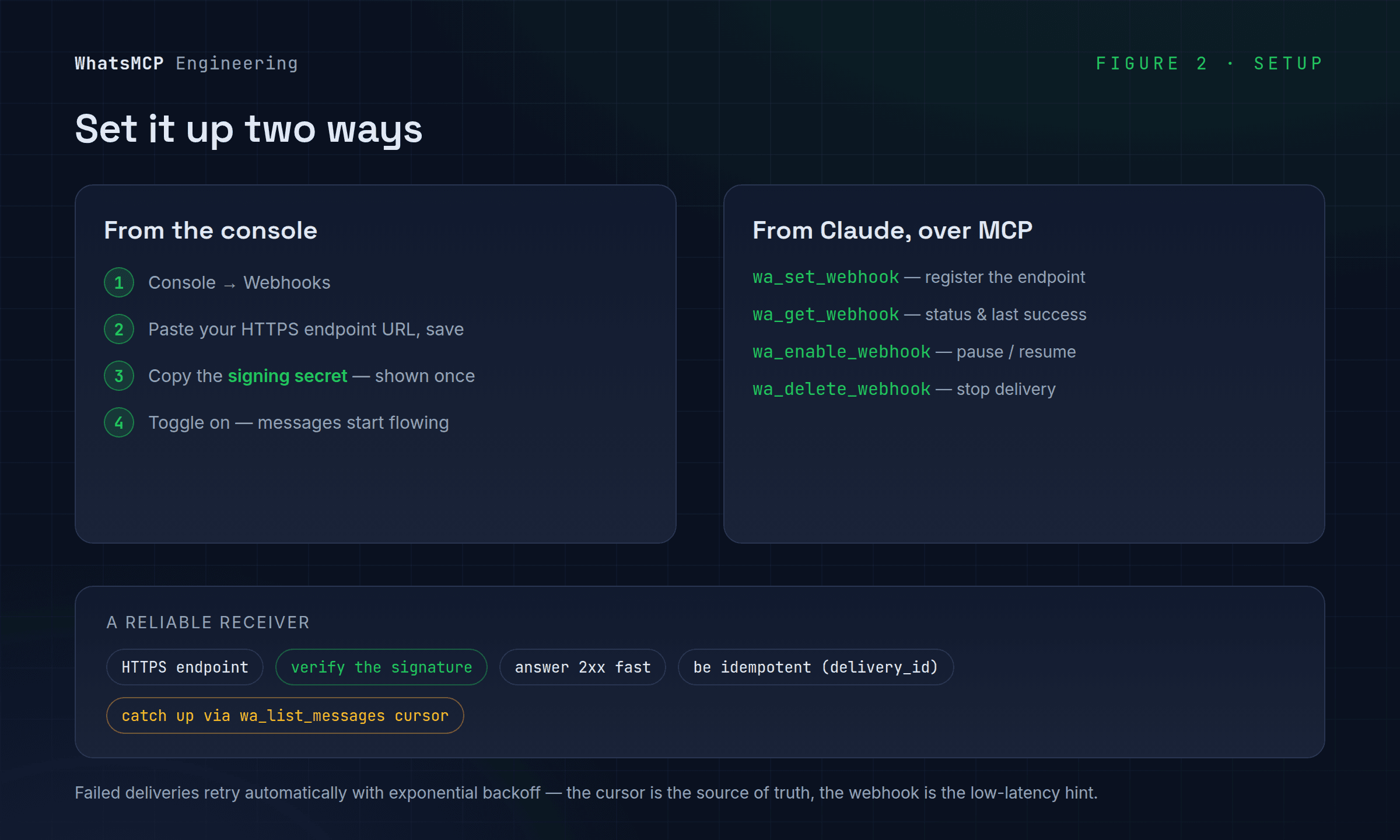
From the console. Open Console → Webhooks, paste your endpoint URL, and save. WhatsMCP shows a signing secret on creation — copy it now, you'll need it to verify deliveries. Toggle the endpoint on, and inbound messages start flowing.
From Claude, over MCP. If you're already connected (here's how), you can manage webhooks in plain language — Claude uses these tools:
wa_set_webhook— registers your HTTPS endpoint to receive inbound messages.wa_get_webhook— shows the configured endpoint, whether it's enabled, and when it last succeeded.wa_enable_webhook— pauses or resumes delivery, keeping the endpoint and its signing secret.wa_delete_webhook— stops delivery. Messages remain readable through the API.
The delivery, and how to trust it
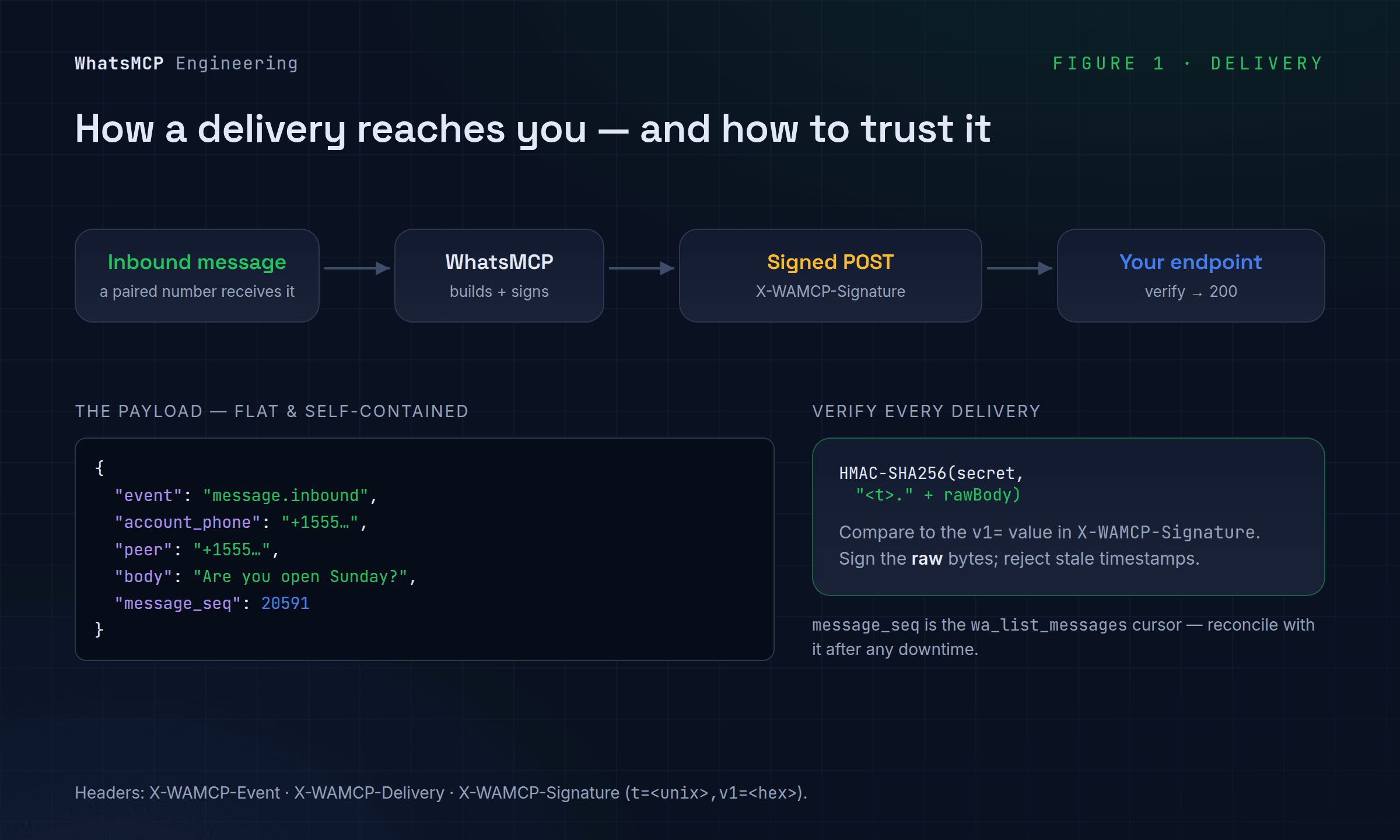
Each delivery is an HTTP POST with a flat JSON body and three headers:
X-WAMCP-Event— the event name, e.g.message.inbound.X-WAMCP-Delivery— a unique id for this delivery attempt.X-WAMCP-Signature— a signature in the formt=<unix>,v1=<hex>.
The body is deliberately self-contained, so a receiver can act without a follow-up read:
{
  "event": "message.inbound",
  "delivery_id": "d-8f3c…",
  "account_phone": "+15551234567",
  "peer": "+15559876543",
  "chat_jid": "[email protected]",
  "kind": "text",
  "body": "Are you open on Sunday?",
  "message_seq": 20591,
  "at": "2026-09-11T14:02:11Z"
}
account_phone is your number that received the message — the field a routing rule or CRM keys on when you run more than one line. message_seq is the same cursor wa_list_messages uses, which matters for reliability (more below).
Always verify the signature before trusting a delivery. The value is computed exactly like Stripe's: an HMAC-SHA256, keyed by your signing secret, over the timestamp and a . and the raw request body. Recompute it and compare:
import crypto from "node:crypto";

function verify(rawBody, header, secret) {
  const parts = Object.fromEntries(header.split(",").map(kv => kv.split("=")));
  const expected = crypto
    .createHmac("sha256", secret)
    .update(`${parts.t}.${rawBody}`)   // timestamp + "." + raw body
    .digest("hex");
  return crypto.timingSafeEqual(Buffer.from(parts.v1), Buffer.from(expected));
}
Sign over the raw bytes you received, not a re-serialized object — reformatting the JSON changes the signature. Rejecting deliveries whose timestamp is far from now also protects you against replays.
Building a receiver that doesn't lose messages
A webhook endpoint is a small distributed-systems problem. Four habits cover almost everything:
- Answer fast, then work. Return
200as soon as you've verified and stored the delivery; do the slow parts (calling an LLM, hitting a CRM) afterward. An endpoint that blocks on downstream work will eventually time out and be retried needlessly. - Be idempotent. Deliveries can repeat. Deduplicate on
delivery_idfor the attempt, or onmessage_id/message_seqfor the message itself, so a redelivery is harmless. - Fail loudly, not silently. A non-
2xxresponse tells WhatsMCP the delivery failed, and it will retry with exponential backoff. If your handler can't process a message, returning an error is better than swallowing it. - Catch up with the cursor. Webhooks are the fast path, not the only path. If your endpoint was down for a while, don't hope the retries cover it — reconcile by calling
wa_list_messagesfrom the lastmessage_seqyou processed. The cursor is the source of truth; the webhook is the low-latency hint.
A few things to build
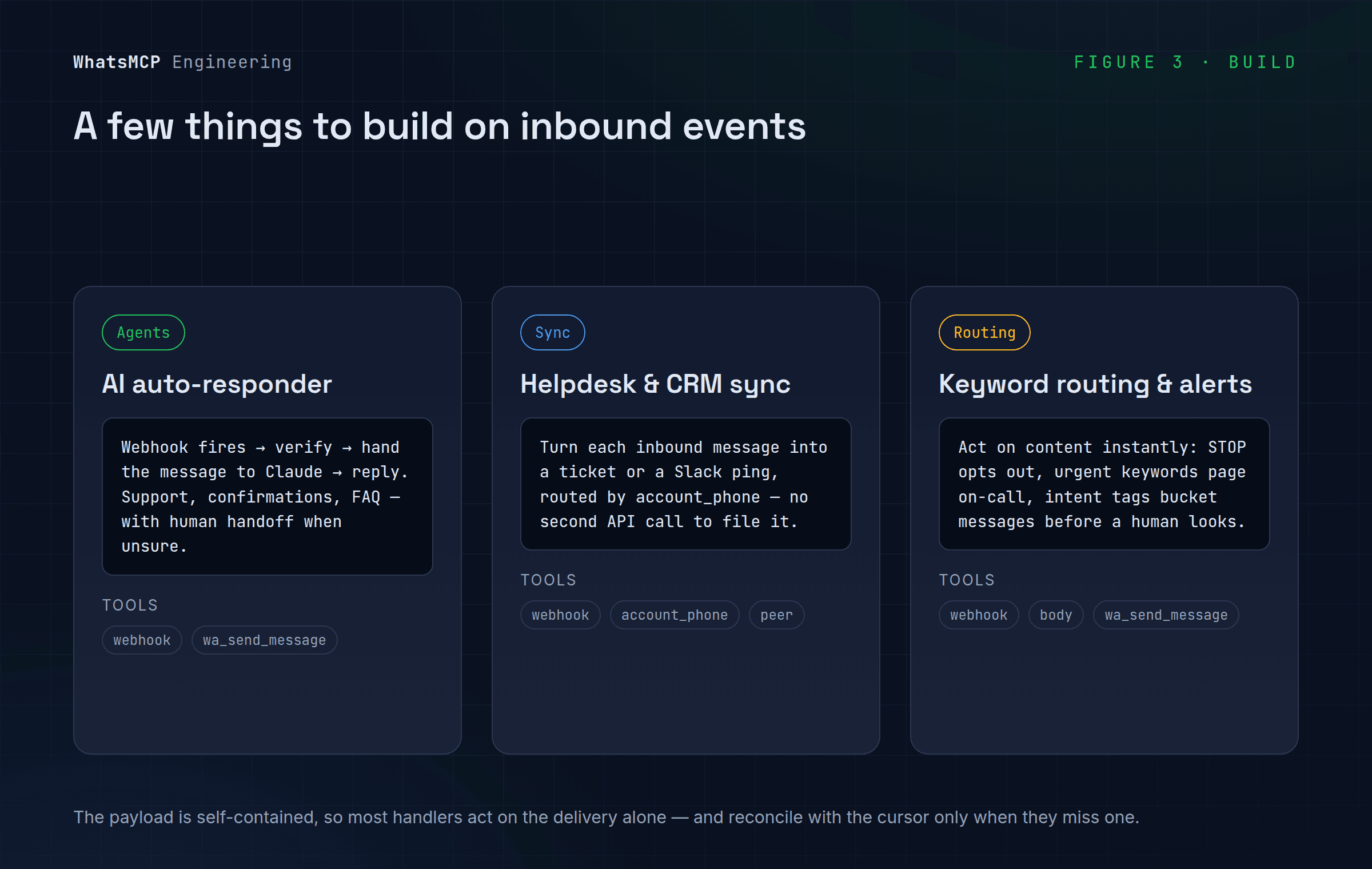
1. An AI auto-responder. The classic loop: the webhook fires, your server verifies it, hands the message to Claude (or your own logic), and replies with wa_send_message. First-line support, appointment confirmations, and FAQ answering all fit this shape — with a human handoff whenever the model is unsure.
2. Helpdesk and CRM sync. Turn every inbound WhatsApp message into a row where your team already works. Key on account_phone to route by line, open or update a ticket keyed on peer, and drop a notification into Slack. Because the payload is self-contained, you rarely need a second API call to file it.
3. Keyword routing and alerts. Act on content the moment it lands: treat STOP / UNSUBSCRIBE as an opt-out and update your list, page the on-call person when a message contains an urgent keyword, or tag and bucket messages by intent before a human ever sees them. Low latency is the whole point — the alert beats the notification.
Wrapping up
Point WhatsMCP at an HTTPS endpoint, verify every signature, answer quickly, dedupe, and reconcile with the cursor — and you have a real-time WhatsApp pipeline your systems and your agents can build on. The full tool reference is at whatsmcp.com/docs/mcp; if you haven't connected Claude yet, start with the connection guide.
About WhatsMCP Engineering
Engineering Team at WhatsMCP. The team building WhatsMCP's MCP server and SIP bridge — the people who wrote the code these posts describe.