Per-Account Egress: SOCKS5 & WireGuard for WhatsApp
When you connect a WhatsApp number, the IP address you connect from becomes part of that number's identity — as much as the handset model or the app version. WhatsApp sees it on every session, and it forms an opinion: does this address look like a real person's phone, or like a rack in a data center shared by a hundred other numbers? For anyone running more than one WhatsApp line through WhatsMCP, controlling that address is not a nicety. It's the difference between numbers that stay healthy and numbers that draw scrutiny.
That's what per-account egress is for. WhatsMCP lets you route each number's traffic through its own WireGuard tunnel or SOCKS5 proxy, so every line presents the network identity you choose rather than whatever your server's default happens to be. This is why it matters and how to set it up.
Why egress matters
By default, every number a server hosts connects out through that server's IP. On a single machine hosting a fleet, that means dozens of numbers sharing one address. Four problems follow.
Data-center addresses stand out. Real WhatsApp users connect from residential and mobile networks. Cloud and data-center IP ranges are well known and rarely carry legitimate consumer traffic, so a number connecting from one is, by definition, atypical — and atypical is exactly what automated integrity systems look for.
A shared IP correlates your numbers. This is the big one. When many numbers connect from the same address, they stop looking like independent people and start looking like a set. Whatever reputation one number earns can splash onto its neighbors, and a cluster of lines behind a single IP is a pattern in its own right. Giving each number its own exit breaks that link — every line stands or falls on its own.
Geography should be consistent. A +44 United Kingdom number that connects from a North American data center is telling two different stories about where it lives. Per-account egress lets you place each number's exit in a region that matches its country code, so the network location and the number agree.
Stability beats churn. A number whose address changes constantly looks as odd as one on the wrong continent. The goal isn't to hop IPs — it's to give each line a stable, appropriate home and keep it there.
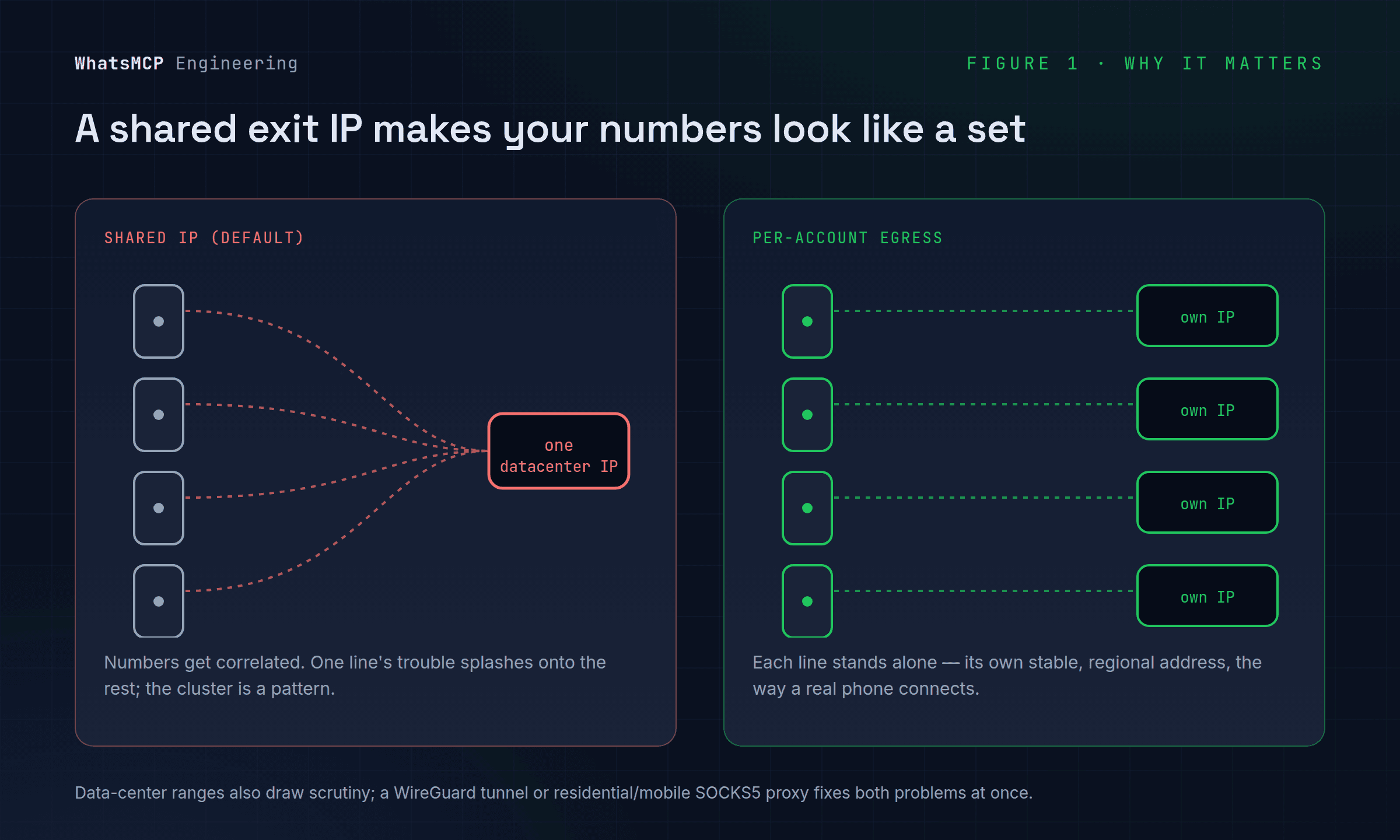
None of this is about hiding. It's about making each of your numbers connect the way a real phone on a real network would: from its own consistent, regionally-sensible address, isolated from your other lines.
Three modes
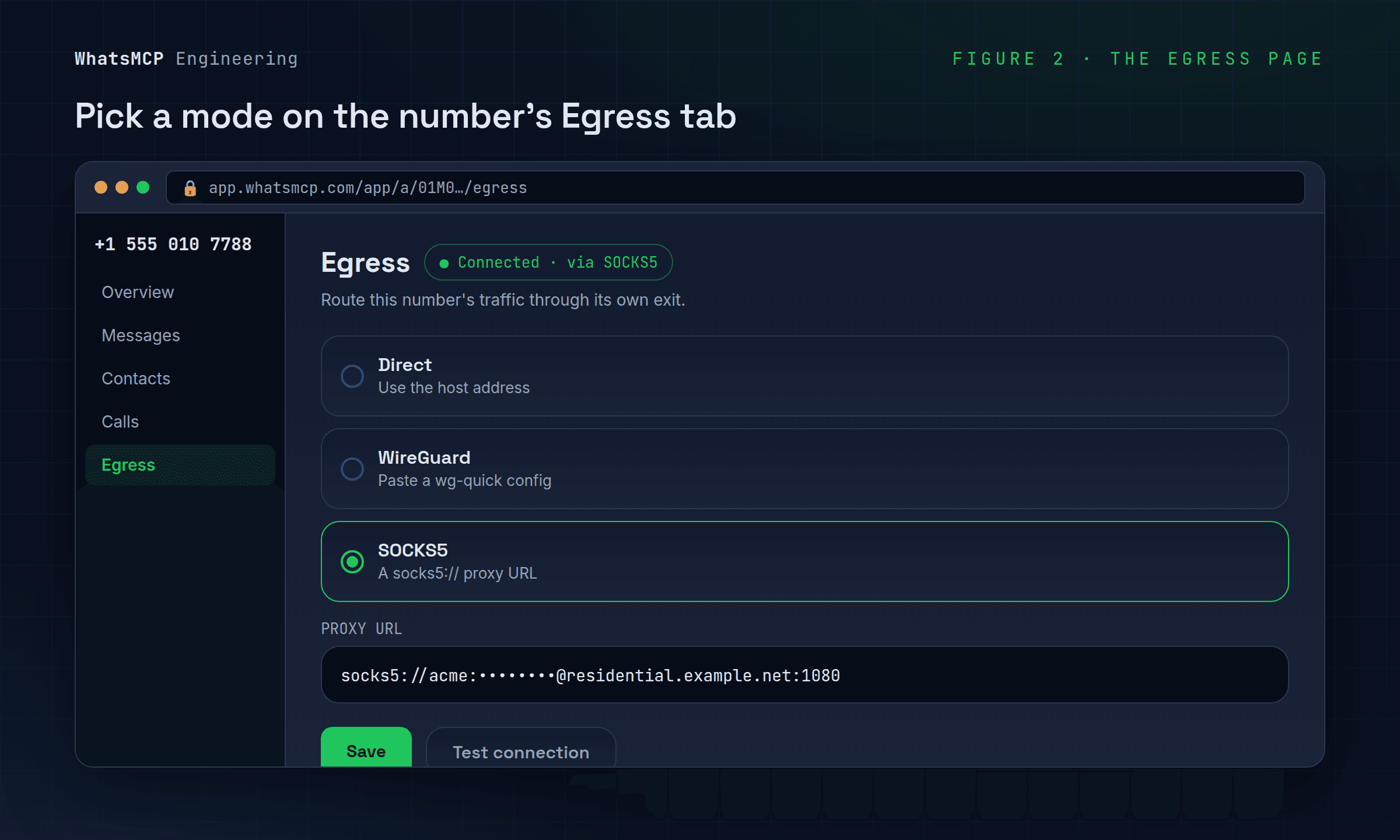
WhatsMCP offers three egress modes per account, chosen on the number's own settings page:
- Direct — the default. Traffic goes out through the host's own address. Fine for a single number, or when the host already has a suitable IP.
- WireGuard — route the number through a WireGuard tunnel by pasting a standard
wg-quickconfiguration. Best when you control a VPN endpoint (a small VPS in the right region, a provider that hands you a.conf) and want a full encrypted tunnel. - SOCKS5 — route through a SOCKS5 proxy by pasting a
socks5://user:pass@host:1080URL. Best with residential or mobile proxy providers, which typically hand you exactly this.
Use WireGuard when you have a tunnel endpoint; use SOCKS5 when your provider gives you a proxy URL. Both achieve the same goal — a dedicated exit for that one number.
How to set it up
- In the console, open the number you want to configure and go to its Egress tab — the URL looks like
app.whatsmcp.com/app/a/{account-id}/egress, alongside Overview, Messages, Contacts and Calls. - Choose a mode.
- WireGuard: paste your full
wg-quickconfig — the[Interface]block (with the private key and address) and the[Peer]block (public key, endpoint, allowed IPs). It's the same file you'd feedwg-quick up. - SOCKS5: paste the proxy URL, including credentials:
socks5://user:pass@host:1080.
- WireGuard: paste your full
- Save. Your configuration is encrypted at rest — the plaintext never sits on disk in the console.
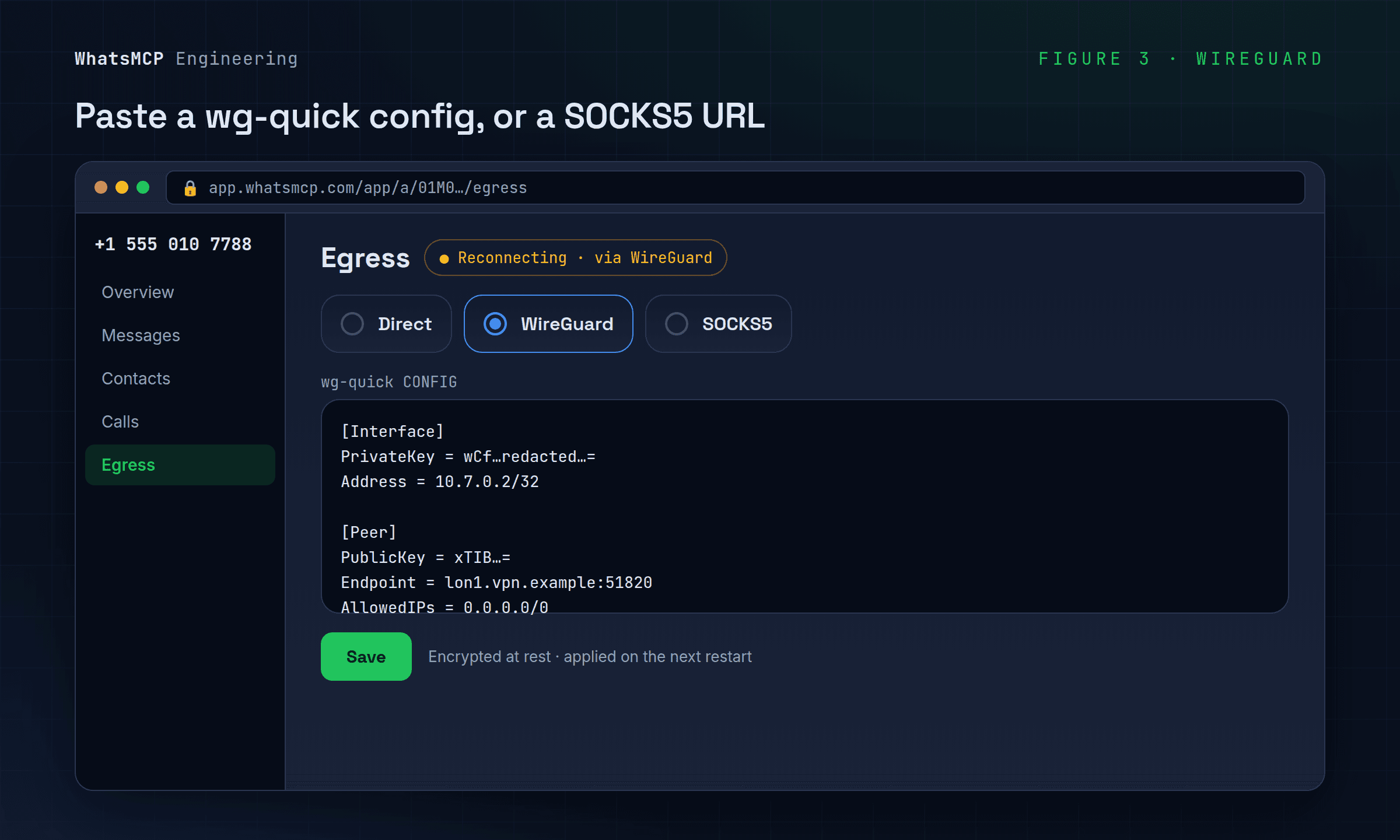
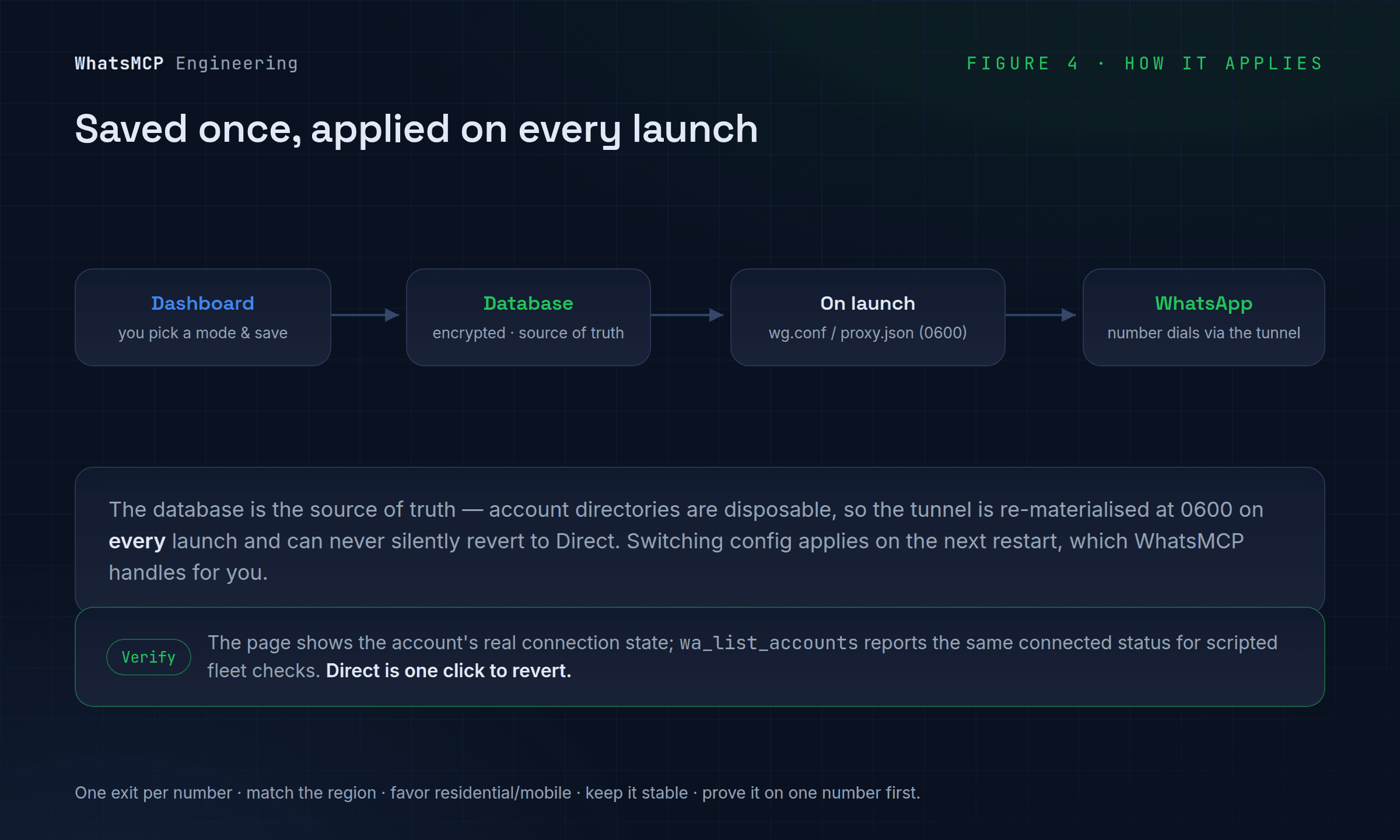
That's the whole setup. Under the hood, the database is the source of truth: when the number's bridge next starts, WhatsMCP writes the tunnel or proxy config into place, brings up the route, and the number reconnects to WhatsApp through its new exit. Switching modes or swapping one config for another applies on the next restart, which WhatsMCP handles for you — and Direct is always one click away on the same page if you need to revert.
Verifying and operating it
The Egress page shows the account's real connection state, so after you save you can confirm the number came back up on its new route rather than trusting that it "should" have. wa_list_accounts reports the same connected/disconnected state from Claude or the API, which is handy for scripted checks across a fleet.
A few habits keep egress working for you:
- One exit per number. The entire point is isolation; don't reuse a single proxy or tunnel across multiple lines, or you've recreated the shared-IP problem you were solving.
- Match the region. Put each number's exit near the country its code belongs to.
- Favor residential or mobile providers for SOCKS5 — data-center proxies inherit the same reputation problem as connecting directly.
- Keep it stable. Pick a good exit and leave it; constant rotation is its own signal.
- Prove it on one number first. Configure a single line, confirm it reconnects cleanly and behaves, then roll the pattern out to the rest.
Wrapping up
Per-account egress turns "which IP does this number use?" from an accident of where your server happens to run into a deliberate, per-line choice. Give each number its own stable, regionally-appropriate exit — a WireGuard tunnel or a SOCKS5 proxy — and your fleet stops looking like a fleet and starts looking like what it should: a set of independent numbers, each connecting the way a real phone does.
Set it up from your number's Egress tab in the console, and see the docs for the full reference.
About WhatsMCP Engineering
Engineering Team at WhatsMCP. The team building WhatsMCP's MCP server and SIP bridge — the people who wrote the code these posts describe.